Best Tablet Cases with Auto Sleep/wake: 7 Spec-Based Picks
As an Amazon Associate we earn from qualifying purchases. Links on this page are affiliate links.
Choosing a dependable tablet case with auto sleepwake protects your screen while saving battery life every time you close the cover. We compared 7 options based strictly on the specifications published on their listings.
The CoBak 6-Inch Kindle PU Leather Folio Case leads the list with its 3.53-ounce PU leather build designed for 11th Generation Kindles. This guide helps you decide which dimensions, folio materials, and stand features best match your daily reading setup.
Our top pick: CoBak Remarkable Paper Pro 11.8 Folio Case.
Quick picks
The best fit for you
- You want a stand case for a 6.8-inch display MoKo 6.8" Kindle Paperwhite Stand Case It provides a built-in stand and shell form factor sized specifically for 6.8-inch screen devices.
- You have an extra-large 13.3-inch tablet UMUBUHOMS 13.3-Inch Boox Stand Folio Case This folio measures 11.4 inches long to fit 13.3-inch Boox hardware with auto sleep and wake.
- You prefer a built-in strap for one-handed reading TPACC Kindle Oasis 7-Inch PU Leather Case This PU leather case includes an integrated hand strap designed for 7-inch Kindle Oasis hardware.
Our 7 picks

CoBak Remarkable Paper Pro 11.8 Folio Case
Best for: Remarkable Paper Pro owners needing pen storage
- Features
- Auto Sleep/Wake, Pen Holder (what this guide is about)
- Compatible Screen Size
- 11.8"
- Form Factor
- Folio
- Primary Material
- PU Leather, PC
- Stylus Holder
- Built-in Pen Holder
- Water Resistance
- Waterproof
This folio case from CoBak provides automatic sleep and wake functions via a magnetic front cover to preserve battery life on your device. Built with a waterproof PU leather exterior and a polycarbonate hard shell back, it protects against dust and scratches. It includes a dedicated holder for your marker and spare nibs. This setup suits you if you need a lightweight folio designed for the Remarkable Paper Pro.
Pros
- Magnetic cover activates auto sleep and wake functions
- Waterproof PU leather exterior with polycarbonate back shell
- Built-in holder stores both stylus and replacement nibs
- Magnetic closure keeps the cover secured
Cons
- Does not fit Remarkable 2 hardware
- No integrated kickstand or multi-angle stand listed
Good fit if
- You own a Remarkable Paper Pro tablet.
- You want magnetic auto sleep/wake alongside integrated stylus and nib storage.
Skip if
- You use a Remarkable 2 device.
- You need a case with an adjustable viewing stand.
Verdict: CoBak Folio Case for Remarkable Paper Pro delivers dependable auto sleep and wake support alongside dedicated stylus storage. Its waterproof exterior and rigid backing offer tailored protection for your tablet.
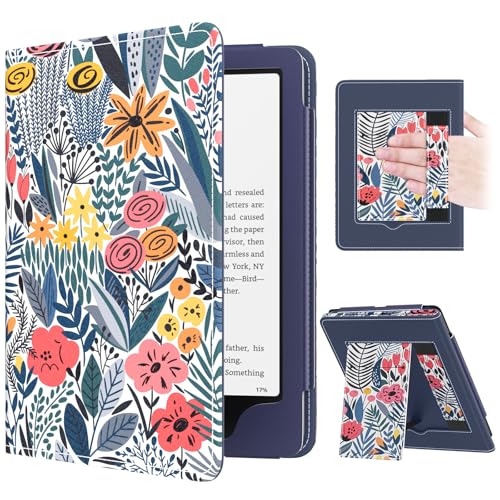
MoKo 6.8" Kindle Paperwhite Stand Case
Best for: hands-free reading and single-handed holding
- Features
- Auto Sleep/Wake (what this guide is about)
- Compatible Screen Size
- 7", 6.8"
- Form Factor
- Cover Case
- Primary Material
- PU Leather, Microfiber
- Stand Functionality
- Stand
- Dimensions
- 6.97 × 5.08 × 0.47 inches
This folding cover case protects 6.8-inch and 7-inch e-readers using PU leather and an interior microfiber lining. Its magnetic lid triggers your device's auto sleep and wake functions instantly upon opening or closing. An integrated folding stand, interior hand strap, and card slot support hands-free and one-handed reading. At 4.93 ounces, it suits you if you want integrated handling aids and automatic sleep functionality without adding heavy bulk.
Pros
- Magnetic closure automatically wakes or sleeps the screen
- Fold-out stand provides hands-free viewing
- Interior hand strap supports one-handed use
- Weighs 4.93 ounces with a 0.47-inch profile
- Built-in slot holds cards and cash
Cons
- Does not fit Kindle generations prior to the 11th Generation
- Incompatible with screens larger than 7 inches
Good fit if
- You own a compatible 6.8-inch or 7-inch Kindle, Boox Go 7, or Tolino device.
- You want a built-in stand and hand strap for reading in different positions.
- You need automatic magnetic sleep and wake capabilities.
Skip if
- You own a legacy Kindle Paperwhite released prior to the 11th Generation.
- You need a protective case for an 8-inch or larger e-reader.
Verdict: MoKo 6.8-Inch and 7-Inch Stand Cover Case provides reliable magnetic auto sleep and wake support alongside a built-in stand and hand strap. It offers practical protection and versatile holding options for compatible compact e-readers.

GOVTVA 8.2" AINOTE Air 2 Trifold Folio Case
Best for: iFLYTEK AINOTE Air 2 daily tablet use
- Features
- Auto Sleep/Wake, Pen Holder (what this guide is about)
- Compatible Screen Size
- 8.2"
- Form Factor
- Trifold Folio
- Stand Functionality
- Trifold
- Stylus Holder
- Built-in Pen Holder
- Color
- Green
This folio case fits the 8.2-inch iFLYTEK AINOTE Air 2 tablet. You get integrated magnets that manage auto sleep and wake functions to preserve your battery life between reading sessions. Its folding cover transforms into a horizontal stand for hands-free viewing, while an interior pen slot secures your stylus against scratches. At 4.66 ounces and 0.4 inches thick, it adds minimal bulk while shielding your e-reader screen.
Pros
- Integrated magnetic cover supports automatic sleep and wake functionality
- Built-in interior pen holder protects your stylus
- Trifold front cover converts into a horizontal viewing stand
- Slim 0.4-inch profile weighing 4.66 ounces
Cons
- Fits only the 8.2-inch iFLYTEK AINOTE Air 2 device
- Stand configuration only supports horizontal screen orientation
Good fit if
- You own an 8.2-inch iFLYTEK AINOTE Air 2 e-reader.
- You want automatic sleep/wake activation paired with an internal pen holder.
- You read hands-free using horizontal propping.
Skip if
- You use an e-reader or tablet model other than the iFLYTEK AINOTE Air 2.
- You require vertical portrait stand support.
Verdict: GOVTVA 8.2" iFLYTEK AINOTE Air 2 Trifold Case provides exact-fit protection, automatic sleep and wake functionality, and an integrated stylus slot for your e-reader. It delivers reliable horizontal hands-free propping in a lightweight 4.66-ounce package.

UMUBUHOMS 13.3-Inch Boox Stand Folio Case
Best for: 13.3-inch Boox users needing landscape stands
- Features
- Auto Sleep/Wake (what this guide is about)
- Compatible Screen Size
- 13.3"
- Form Factor
- Book Folio
- Primary Material
- PU leather
- Stand Functionality
- Multi-angle stand
- Stylus Holder
- Magnetic Pen Buckle
This book folio case fits 13.3-inch Boox Tab X C and Boox Note Max tablets. Built-in magnets manage auto sleep and wake functions to preserve battery life whenever you open or close the cover. It features a multi-angle landscape stand, a magnetic pen buckle for stylus retention, and waterproof PU leather construction. It suits you if you need hands-free viewing and magnetic stylus security on an extra-large screen.
Pros
- Automatic sleep and wake functionality via built-in magnets
- Multi-angle landscape stand relieves hand pressure
- Magnetic stylus buckle holds pen in place during charging
- Waterproof PU leather construction inside and outside
Cons
- Adds 13.1 ounces to overall device weight
- Lacks portrait orientation viewing support
- Incompatible with prior generation e-readers
Good fit if
- You use a 13.3-inch Boox Tab X C or Note Max device.
- You require multi-angle landscape stand functionality.
- You want a magnetic latch to secure your stylus.
Skip if
- You read primarily in portrait orientation while propped.
- You own an e-reader smaller than 13.3 inches.
Verdict: UMUBUHOMS 13.3-Inch Boox Stand Case delivers reliable sleep/wake automation alongside multi-angle landscape propping for oversized Boox tablets. Its waterproof PU leather build protects screen surfaces while keeping your stylus secured.

TPACC Kindle Oasis 7-Inch PU Leather Case
Best for: Kindle Oasis owners wanting a hand strap
- Features
- Auto Sleep/Wake, Hand Strap (what this guide is about)
- Compatible Screen Size
- 7 inch
- Primary Material
- PU leather, synthetic leather
- Use
- Reading
- Dimensions
- 7.28 × 5.51 × 0.6 inches
This TPACC folio case protects your 7-inch Kindle Oasis 9th or 10th generation device. It includes magnetic auto sleep and wake support, along with an integrated hand strap designed for stable reading sessions. A hard back shell locks the reader in place, while the synthetic PU leather cover keeps the total thickness at 0.6 inches. It suits you if you prioritize one-handed hold and magnetic sleep control.
Pros
- Automatic magnetic sleep and wake support
- Built-in hand strap for one-handed grip
- Hard back shell with synthetic PU leather exterior
- Precise cutouts for ports and physical buttons
Cons
- Compatible only with 7-inch Kindle Oasis models
- No integrated kickstand listed in specifications
Good fit if
- You own a 9th or 10th generation 7-inch Kindle Oasis.
- You want an integrated hand strap for one-handed reading.
- You need automatic power saving via magnetic cover sensor.
Skip if
- You use any Kindle model other than the Kindle Oasis.
- You require a hands-free desktop kickstand.
Verdict: TPACC Kindle Oasis Case with Hand Strap pairs automatic sleep and wake switching with an integrated strap for 7-inch Kindle Oasis readers.

Guizusteel Boox Go 10.3 Magnetic Case
Best for: Boox Go 10.3 users wanting magnetic closure
- Features
- Auto Sleep/Wake, Magnetic Closure (what this guide is about)
- Primary Material
- PU leather
- Auto Sleep Wake
- Auto wake and sleep
- Stand Functionality
- Magnetic stand
- Color
- Black
- Dimensions
- 9.3 × 7.6 × 0.5 inches
This Guizusteel folio is built specifically for the Onyx Boox Go 10.3 and Go 10.3 Gen II Lumi. You get built-in magnets that control automatic wake and sleep while keeping the flip cover closed in your bag. It features a PU leather exterior with an anti-slip lining, a magnetic stand, and precise cutouts for device ports. At 0.5 inches thick and 9.75 ounces, it suits you if you need reliable magnetic protection.
Pros
- Built-in magnetic auto wake and sleep functionality
- Secure magnetic closure keeps cover shut during transport
- Integrated magnetic stand functionality
- Slim 0.5-inch profile with anti-slip inner lining
Cons
- Weighs 9.75 ounces
- Available only in black
- Compatible exclusively with Onyx Boox Go 10.3 tablet models
Good fit if
- You own an Onyx Boox Go 10.3 or Go 10.3 Gen II Lumi tablet.
- You want a secure magnetic closure that triggers sleep and wake states.
- You need an integrated magnetic stand for reading and writing.
Skip if
- You own a different tablet or e-reader brand.
- You prefer case colors other than black.
Verdict: Guizusteel Boox Go 10.3 Magnetic Stand Case delivers essential auto sleep and wake features alongside a secure magnetic closure tailored to your 10.3-inch Boox hardware.
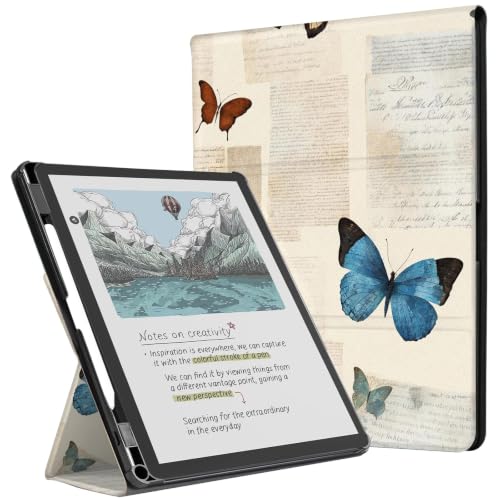
CoBak 11-Inch Tri-Fold Stand Case
Best for: 11-inch tablets requiring stylus storage
- Features
- Auto Sleep/Wake, Pen Holder (what this guide is about)
- Compatible Screen Size
- 11"
- Primary Material
- PU leather, microfiber, PC
- Auto Sleep Wake
- Auto Wake & Sleep
- Stand Functionality
- Tri-Fold
- Stylus Holder
- Built-In Pen Holder
This CoBak folio protects your 11-inch device with waterproof PU leather, a microfiber lining, and a hard polycarbonate back. Its front cover triggers auto sleep and wake when opened or closed, preserving battery power. The cover folds into a tri-fold stand for hands-free reading, typing, or viewing. An integrated pen holder secures your stylus. It fits you if you need reliable protection, hands-free angles, and dedicated stylus storage on an 11-inch screen.
Pros
- Magnetic smart cover supports auto sleep and wake functions
- Built-in holder keeps your stylus secured
- Tri-fold front cover folds into viewing and typing angles
- Waterproof PU leather exterior with a durable PC back shell
Cons
- Sized specifically for 11-inch TCL hardware
- Stand design does not support vertical portrait orientation
Good fit if
- You own an 11-inch device and want automatic sleep and wake.
- You carry a stylus and need a dedicated built-in slot.
- You read or type frequently using horizontal stand angles.
Skip if
- You need a stand that supports hands-free portrait reading.
- You use a tablet with dimensions different from an 11-inch frame.
Verdict: CoBak 11-Inch Tri-Fold Stand Case pairs responsive auto sleep/wake functionality with a protective PC shell and built-in stylus loop. It delivers solid everyday utility for reading, viewing, and stylus carrying.
Specifications side by side
| Spec | CoBak Remarkable Paper Pro 11.8 Folio Case | MoKo 6.8" Kindle Paperwhite Stand Case | GOVTVA 8.2" AINOTE Air 2 Trifold Folio Case | UMUBUHOMS 13.3-Inch Boox Stand Folio Case | TPACC Kindle Oasis 7-Inch PU Leather Case | Guizusteel Boox Go 10.3 Magnetic Case | CoBak 11-Inch Tri-Fold Stand Case |
|---|---|---|---|---|---|---|---|
| Compatible Screen Size | 11.8" | 7", 6.8" | 8.2" | 13.3" | 7 inch | not specified | 11" |
| Form Factor | Folio | Cover Case | Trifold Folio | Book Folio | not specified | not specified | not specified |
| Primary Material | PU Leather, PC | PU Leather, Microfiber | not specified | PU leather | PU leather, synthetic leather | PU leather | PU leather, microfiber, PC |
| Auto Sleep Wake | not specified | not specified | not specified | not specified | not specified | Auto wake and sleep | Auto Wake & Sleep |
| Stand Functionality | not specified | Stand | Trifold | Multi-angle stand | not specified | Magnetic stand | Tri-Fold |
| Stylus Holder | Built-in Pen Holder | not specified | Built-in Pen Holder | Magnetic Pen Buckle | not specified | not specified | Built-In Pen Holder |
| Water Resistance | Waterproof | not specified | not specified | Waterproof | not specified | not specified | Waterproof |
| Screen Size | 8" | 6.8" | not specified | not specified | not specified | not specified | 11" |
| Features | Auto Sleep/Wake, Pen Holder | Auto Sleep/Wake | Auto Sleep/Wake, Pen Holder | Auto Sleep/Wake | Auto Sleep/Wake, Hand Strap | Auto Sleep/Wake, Magnetic Closure | Auto Sleep/Wake, Pen Holder |
| Use | not specified | not specified | not specified | not specified | Reading | not specified | not specified |
| Material | not specified | not specified | not specified | not specified | PU Leather | PU Leather | not specified |
| Color | Black | Blue Leaf Flower | Green | Brown | Girl Love Books | Black | Butterfly Paper |
| Dimensions | not specified | 6.97 × 5.08 × 0.47 inches | 7.72 × 5.89 × 0.4 inches | 11.4 × 9.7 × 0.35 inches | 7.28 × 5.51 × 0.6 inches | 9.3 × 7.6 × 0.5 inches | not specified |
| Weight | not specified | 4.93 ounces | 4.66 ounces | 13.1 ounces | not specified | 9.75 ounces | not specified |
| Size | not specified | not specified | not specified | not specified | not specified | not specified | For 11 Inch |
How to Choose the Right Tablet Case
-
Assess Form Factor and Propping
Look closely at the folding structure before you buy. Basic shell covers snap onto your tablet frame, while folio cases wrap around both sides. If you view media or reference notes on a desk, choose a trifold design. The GOVTVA 8.2" AINOTE Air 2 Trifold Folio Case uses segmented panels that fold into a triangular stand for hands-free horizontal positioning. Standard folios open like a book, which keeps your hardware flat during handheld use. Check the listing specs to confirm whether the cover folds into your preferred viewing orientation.
-
Verify Stylus Storage Options
Check whether your digital paper device requires an external writing tool. Stylus loss disrupts your workflow, so review the specifications for dedicated stylus slots, loops, or built-in pen holders. If you use a digital notebook daily, pick a model with explicit pen storage. The CoBak Remarkable Paper Pro 11.8 Folio Case lists a dedicated pen holder directly on its feature sheet. Without this specification, your stylus must travel loose in a bag or depend solely on magnetic tablet edges, which easily detach during transport.
-
Consider an Integrated Hand Strap
Evaluate how you hold your device during extended reading sessions. Holding a bare tablet frame or smooth folio edge causes hand fatigue over time. If you read while commuting or standing, check the feature list for an integrated hand strap. The TPACC Kindle Oasis 7-Inch PU Leather Case builds an elastic strap inside the front cover. This allows you to slide your fingers behind the unit and hold it securely with one hand. Make sure the specifications list a strap if you read without a table surface.
-
Check for Magnetic Closure
Examine how the front flap stays closed. Cases with auto sleep and wake rely on internal magnets to trigger the tablet display sensors. However, loose covers can shift inside a backpack, accidentally waking the screen and draining power. If you travel frequently, look for explicit magnetic closure specs. The Guizusteel Boox Go 10.3 Magnetic Case includes dedicated magnetic closure hardware alongside wake sensors. This feature keeps the protective lid clamped tightly against the glass panel, preventing unintended wakeups and shielding the screen against stray keys and loose objects.
-
Inspect Outer Cover Material
Inspect the exterior shell material to understand durability and daily maintenance. Most e-reader covers utilize polyurethane leather. PU leather provides a grippy, non-slip texture that resists minor scuffs and cleans easily with a damp cloth. Some listings, like the UMUBUHOMS 13.3-Inch Boox Stand Folio Case, specify waterproof PU leather surfaces. This offers vital moisture resistance if you read near drinks or carry your tablet through humid environments. Verify the material breakdown on the spec sheet to ensure the outer cover matches your expected daily environment.
-
Match Exact Device Dimensions
Do not rely solely on diagonal screen measurements when selecting a protective case. Tablet bezels, corner radii, and port locations vary significantly between device releases. Check the published product sizing details against your specific hardware release generation. For instance, the CoBak 6-Inch Kindle PU Leather Folio Case explicitly matches Kindle 11th Generation dimensions, measuring 6.3 inches long by 4.72 inches wide. Matching physical exterior dimensions and generation tags ensures cutouts align with charging ports and wake magnets engage properly.
Frequently asked questions
How does auto sleep and wake work on a tablet case?
Auto sleep and wake works via embedded magnets inside the cover. When you close the lid, the magnets align with internal sensors in your device to turn the screen off. Opening the flap breaks the magnetic contact, which triggers the display instantly. Options like the MoKo 6.8-inch case rely on this magnetic mechanism to automate power states without requiring you to push physical hardware buttons.
Will an auto sleep and wake case drain tablet battery faster?
No, an auto sleep and wake case preserves your tablet battery rather than draining it. The case relies on passive magnets rather than an active electrical connection, requiring zero power draw from your hardware. It ensures your display shuts down the moment you close the front flap, preventing the screen from staying illuminated accidentally. This automated sleep switch prevents unnecessary standby battery loss during travel or storage.
Can you store a stylus in an auto sleep cover?
Yes, several auto sleep covers provide dedicated stylus storage compartments. Certain models include built-in slots or external elastic loops tailored to hold your digital pen securely. For example, the GOVTVA 8.2-inch case and the CoBak Remarkable Paper Pro cover include integrated pen holders, while the CoBak 11-inch tri-fold case features a dedicated stylus loop so your accessory stays attached alongside the magnetic cover.
Does a magnetic closure interfere with tablet screen functions?
A properly designed magnetic closure will not interfere with normal tablet operations. Manufacturers place magnets in specific edge locations to align strictly with the sleep sensors rather than the active writing area. Covers like the Guizusteel Boox Go 10.3 case use magnetic closures engineered specifically for compatible e-ink hardware, keeping the lid shut during transport without disrupting reading or display performance when you open the device.
What materials are common in auto sleep tablet cases?
Most auto sleep cases use PU leather exteriors paired with rigid plastic backing shells. Synthetic PU leather provides a wipe-clean exterior, featured on covers such as the TPACC Kindle Oasis case and the waterproof UMUBUHOMS 13.3-inch folio. Interior frames often utilize polycarbonate, as seen on the CoBak 11-inch case, giving structural rigidity that shields device edges while keeping the magnetic lid aligned properly.
How do integrated hand straps work on sleep and wake cases?
Integrated hand straps let you secure the device with one hand while keeping the cover folded back. When you open the folio and fold the front flap behind the tablet, the elastic strap faces outward across the rear. The TPACC Kindle Oasis case includes an integrated hand strap designed for reading sessions, allowing you to maintain a firm grip on the hardware without touching the display or resting on flat surfaces.
Will a universal tablet case support auto sleep and wake?
Universal tablet cases rarely support auto sleep and wake functionality reliably. The wake mechanism requires precise alignment between the cover magnets and the internal tablet sensor. Because sensor positions vary across hardware brands, generic covers cannot ensure the magnetic field hits the correct spot. Cases built for exact devices, like the GOVTVA 8.2-inch case for the iFLYTEK AINOTE Air 2, guarantee proper sensor positioning for dependable wake and sleep performance.